
If desk booking approval has been enabled by the admin, managers will receive approval requests to approve the desk bookings of their subordinates both via an email and as a push notification on their mobile. As a manager, you can either approve or reject a desk booking approval request.
- On the Dashboard screen, tap Desk Booking and then tap the
 icon.
OR
On the Dashboard screen, tap the notification icon and then tap the approval request notification.
The Approval Request screen is displayed with a list of desk booking requests pending approval.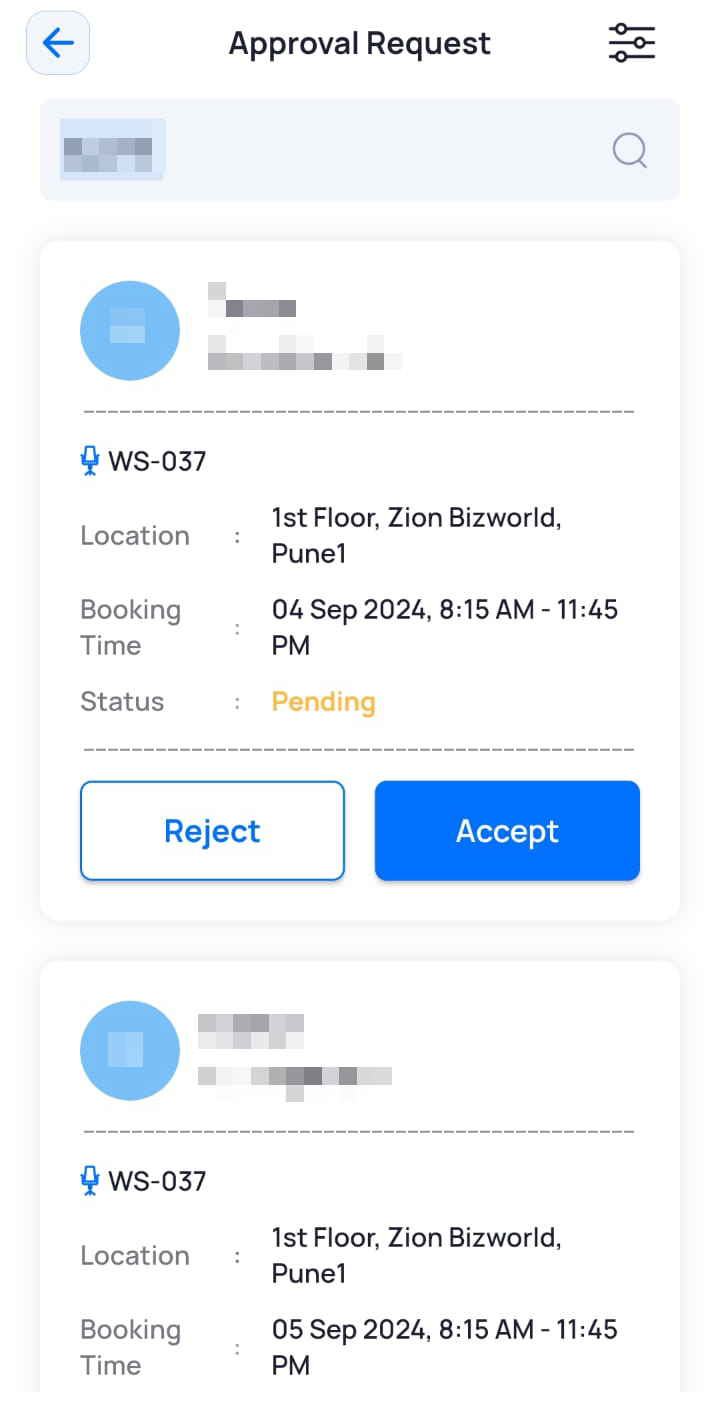
- To approve a desk booking request, tap Accept.
The desk booking request is approved.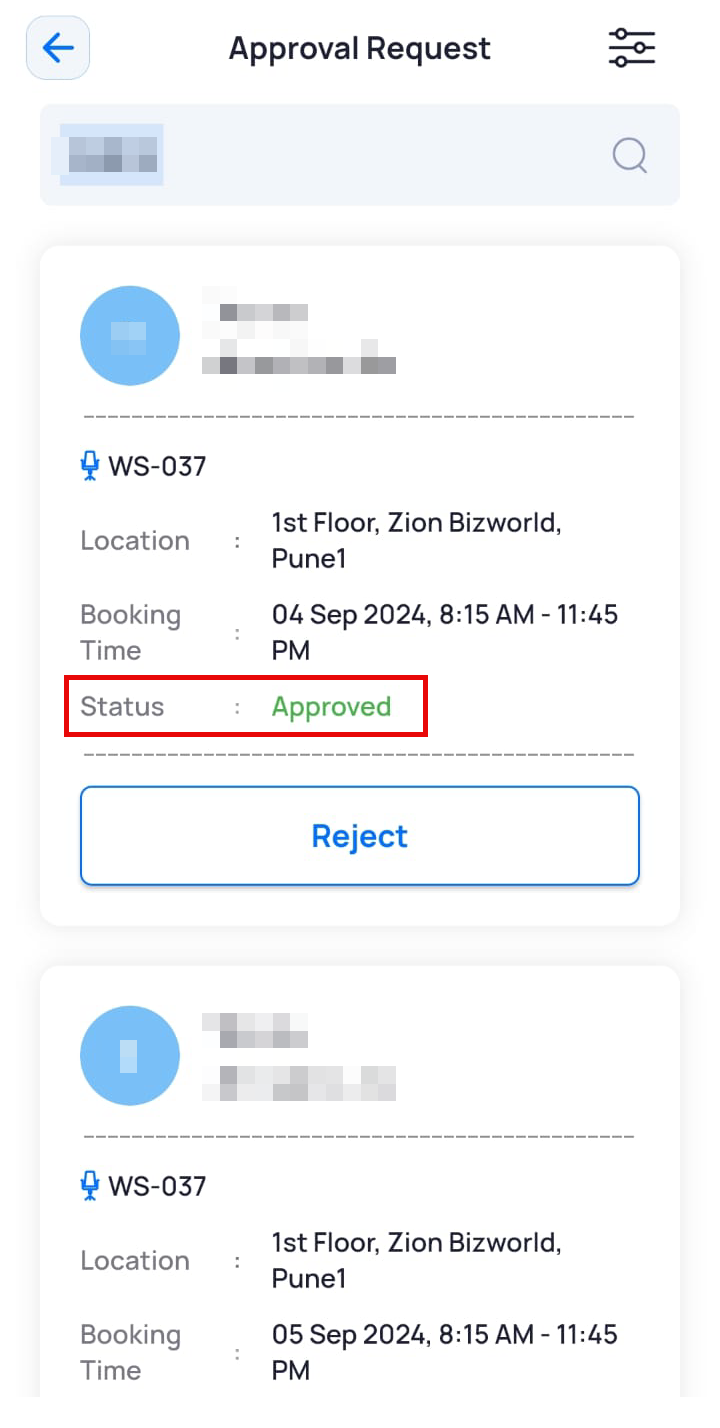
Note: You can reject a desk booking even if you had approved it initially.
- To reject a desk booking request, tap Reject.
The desk booking request is rejected.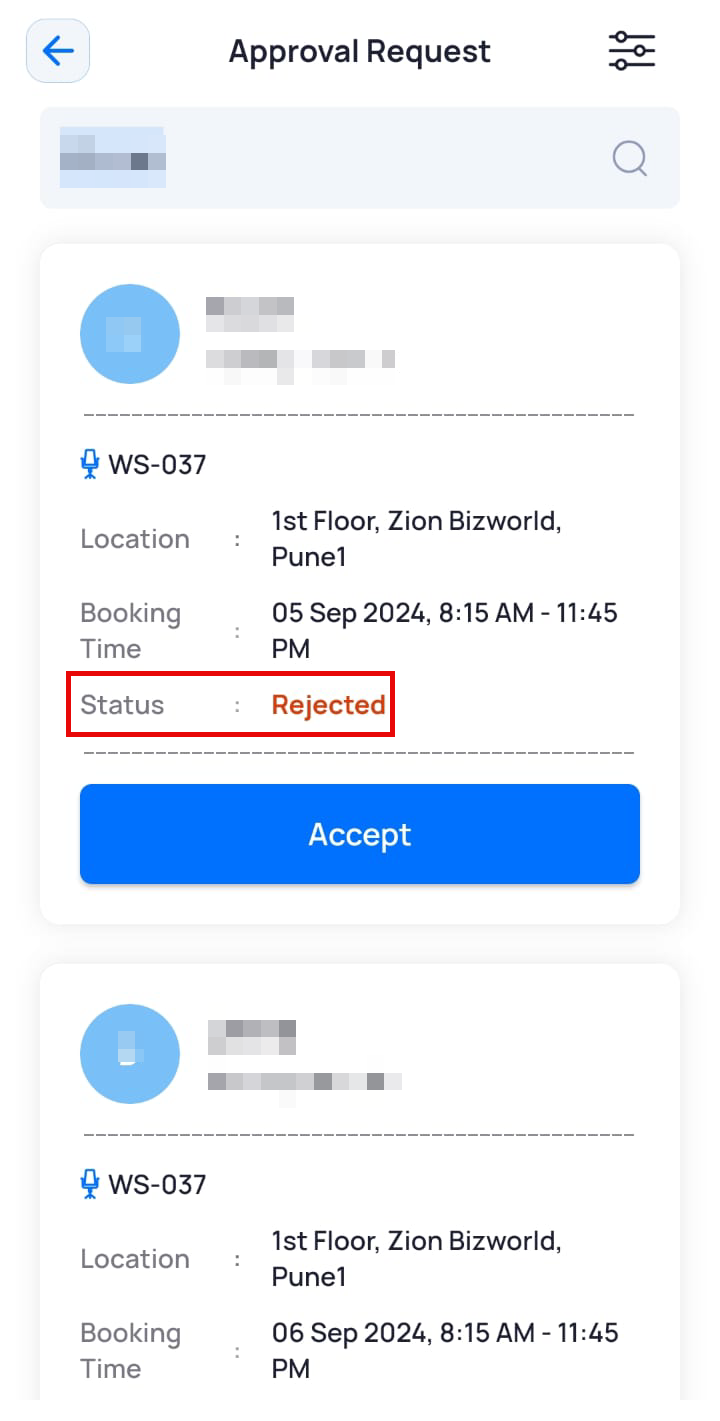
Note: You can approve a desk booking even if you had rejected it initially.