In this section, you will learn how to:
Viewing Service Requests
- On the Dashboard screen, tap Service Request.
- On the Service Request pop-up, tap Track Existing.
The Service Request screen with the Open tab listing the active service requests (if any) is displayed.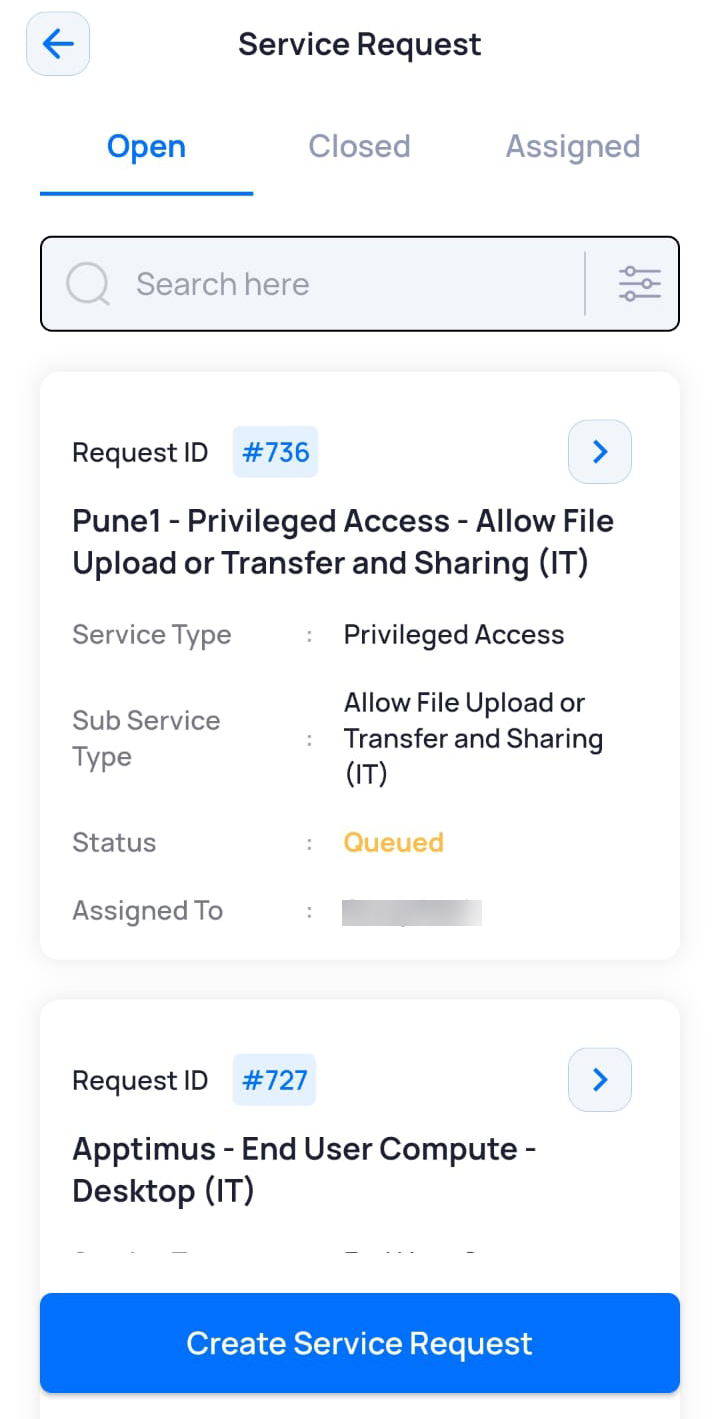
- To see service requests that are closed, resolved, expired, tap Closed.
- To see service requests that have been assigned to you, tap Assigned.
Searching/Filtering Service Requests
You can filter service requests based on their status, priority, or Request ID.
Note: The search and filter option is available under all three tabs – Open, Closed, and Assigned.
- On the Dashboard screen, tap Service Request.
- On the Service Request pop-up, tap Track Existing.
The Service Request screen with the Open tab listing the active service requests (if any) is displayed. - Select the required tab where you want to search/filter service requests.
- Tap the filter icon.
The Filter pop-up window is displayed with the All option selected by default under the Status tab.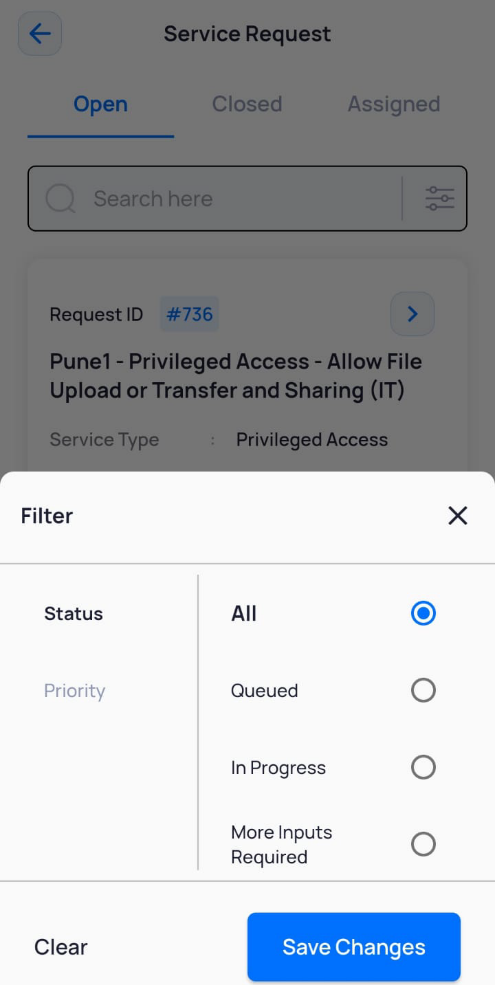
- Select the required filter status. For example, Queued.
- Tap Save Changes.
The Queued service requests are displayed. - To filter service requests by priority, in the Filter pop-up window, tap Priority.
- Select the priority as Low, Medium, or High.
- Tap Save Changes.
The service requests are displayed as per the selected priority filter.
Checking the Status History of Service Requests
Checking the status history of service requests allows you to keep track of how long it takes for an active service request to be processed, identify delays or issues (if any) and provide insight into the underlying issues.
To check the status history of a service request:
- On the Dashboard screen, tap Service Request.
- On the Service Request pop-up, tap Track Existing.
The Service Request screen with the Open tab listing the active service requests (if any) is displayed. - Select the required tab where you want to check the service request status history.
- Tap the required service request.
- On the Service Request page, tap the
 icon.
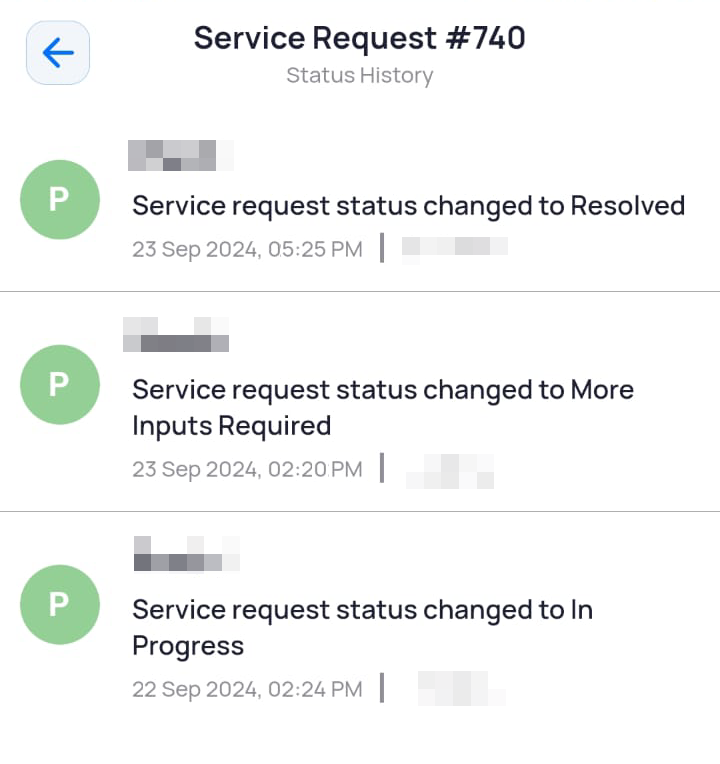
The Status History of the service request is displayed.