
The desk bookings for the current day are shown on the Dashboard screen, under Today’s activities. You can also view desk bookings scheduled for a later date.
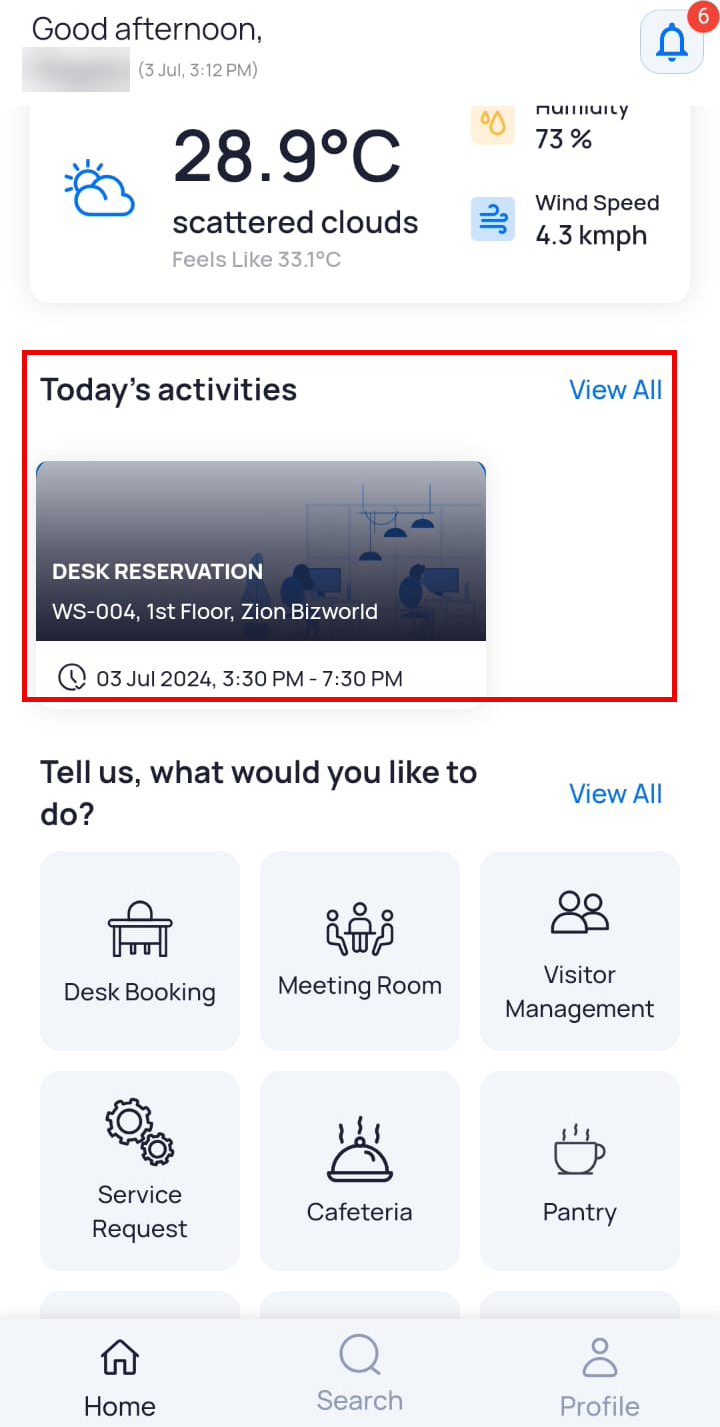
Note: Today’s activities will be displayed only if there are any active bookings.
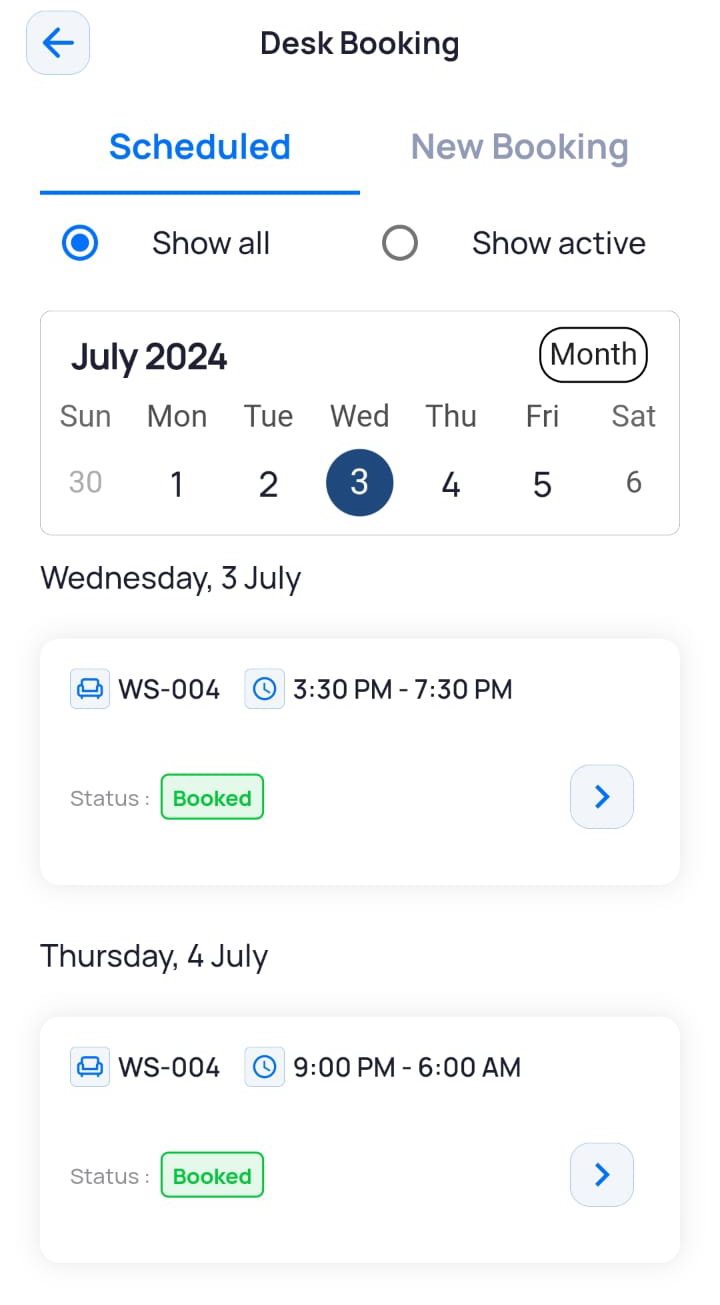
You can also view desk bookings inside the Desk Booking module.
- On the Dashboard screen, tap Desk Booking.
- On the Desk Booking screen, tap Show Active.
The active bookings will be displayed in the selected calendar view.
Viewing Scheduled Bookings
To see desk bookings scheduled for future dates:
- On the Dashboard screen, tap Desk Booking.
The Desk Booking screen is displayed with the Scheduled tab open. By default, Show all is selected and displays all your desk bookings for the week. - Select Show All to view all desk bookings, including the cancelled and/or past bookings.
- Select Show Active to view only active desk bookings for the week/month.
- To switch the calendar to the month view, tap Month, and all the desk bookings for the month are displayed.
- To view a desk booking of a future date, tap on the notifications bell icon.
The Notifications screen displays a list of active booking.
Note: Today’s activities only displays bookings that are scheduled for the current date.